
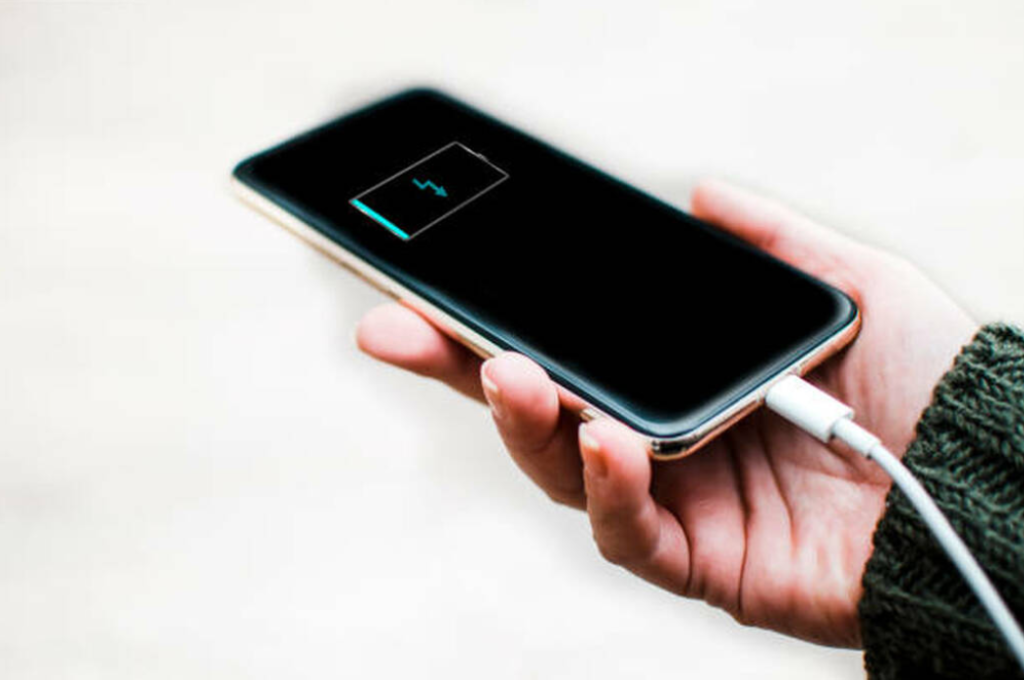
Is your iPhone battery draining faster than usual? Does it die even when the battery percentage seems reasonable? These issues usually point to one common culprit—a weak or failing iPhone battery. While all batteries degrade with time, certain symptoms clearly indicate when a replacement becomes necessary.
In this blog, we’ll explore the major signs your iPhone needs a battery replacement and why choosing a professional repair center like CellCore ensures long-lasting performance and reliability.
Why iPhone Batteries Lose Health Over Time
iPhones use lithium-ion batteries designed for fast charging and long-lasting performance. However, every battery has a limited number of charge cycles. With daily use, background activity, and frequent charging, your iPhone battery slowly loses capacity.
Apple considers a battery “significantly degraded” below 80% health, after which performance issues become very noticeable.
Top 7 Signs Your iPhone Needs a Battery Replacement:
1) Your Battery Percentage Drops Rapidly
If your iPhone loses charge quickly—even with minimal use—it’s a clear sign of battery wear. For example:
- It drops from 40% to 20% in minutes
- It loses power even when idle
- Battery drains faster after updates
This happens because the battery can’t hold a charge efficiently anymore.
2) Unexpected Shutdowns
Does your iPhone switch off even when it shows 10–20% battery remaining?
This is one of the most common signs of a deteriorated battery. A weak battery struggles to supply the power required during peak load, causing sudden shutdowns.
3) Overheating Issues
While iPhones naturally get warm during charging or gaming, consistent overheating—especially during light use—is not normal.
A failing battery produces excess heat, which can:
- Slow down performance
- Damage internal components
- Affect overall device health
Replacing the battery prevents further harm.
4) Poor Battery Health Percentage
You can check this in:
Settings → Battery → Battery Health & Charging
If you see:
- Battery Health below 80%
- Service message: “Your battery’s health is significantly degraded”
…it means your iPhone is due for a battery replacement.
5) iPhone Feels Slower Than Usual
Apple reduces performance on devices with weak batteries to prevent shutdowns. This is called performance throttling.
If your iPhone suddenly:
- Lags
- Freezes
- Takes longer to open apps
…it could be because the battery can no longer sustain performance.
6) Charging Takes Too Long
If your iPhone charges extremely slowly, even with original chargers, the battery may be worn out. Damaged batteries struggle to store energy, causing slow or incomplete charging cycles.
7) Battery Swelling (A Serious Warning Sign!)
A swollen battery is dangerous.
You may notice:
- Screen lifting
- Body bulging
- Gaps between frame and screen
If you see any swelling signs, power off the phone immediately.
Visit iPhone repair Dubai for safe, professional battery replacement—never try to replace a swollen battery at home.
Why Choose CellCore for iPhone Battery Replacement?
When it comes to repair quality, speed, and reliability, CellCore stands out as a trusted iPhone repair provider.
✔ Genuine & High-Quality Batteries
We use premium-grade batteries compatible with all iPhone models for safe and optimal performance.
✔ Skilled Technicians
Our experienced team ensures safe disassembly, precise installation, and thorough testing.
✔ Quick Turnaround Time
Get your battery replaced within minutes—no long waiting times.
✔ Affordable Pricing
We offer budget-friendly rates without compromising on quality.
✔ Warranty on Repairs
All battery replacements come with a service guarantee for peace of mind.
✔ Free Diagnosis
Not sure if the battery is the problem?
CellCore provides a free device check-up before any repair.
How to Extend Your iPhone Battery Life
After replacement, follow these tips to keep your new battery healthy:
- Avoid overnight charging
- Use original or MFi-certified chargers
- Keep your iPhone away from heat
- Enable Low Power Mode when needed
- Avoid dropping your battery to 0% frequently
Proper habits help maintain battery longevity.
Frequently Asked Questions (FAQs)
Q1. How long does an iPhone battery last?
Typically, 18–24 months, depending on usage patterns.
Q2. How much battery health is normal?
Above 85–90% is considered good. Below 80% indicates degradation.
Q3. Will replacing the battery make my iPhone faster?
Yes! A new battery eliminates throttling, making your device faster and smoother.
Q4. How long does CellCore take to replace an iPhone battery?
Most replacements are completed in 15–30 minutes.
Q5. Is it safe to continue using a swollen battery?
No, it is dangerous and can cause damage or fire. Seek immediate professional help from CellCore.
A fast-draining battery is more than just an inconvenience—it’s a sign your iPhone needs professional attention. Replacing your battery not only restores performance but also extends the lifespan of your device.
If you’re experiencing any of the symptoms above, let CellCore handle your iPhone battery replacement safely and efficiently.
Ready for a Battery Replacement?
Visit CellCore today for expert iPhone repair, high-quality parts, and fast service you can trust.
Your iPhone deserves professional care—and we’re here to provide it.