
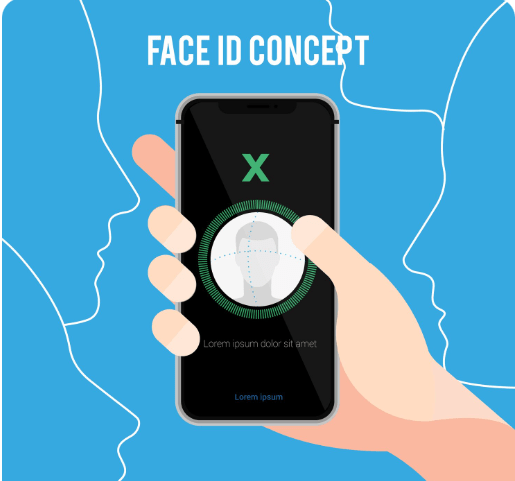
Face ID is one of Apple’s most convenient security features, allowing iPhone users to unlock their device, authorize payments, and access apps securely. When Face ID suddenly stops working, it can be frustrating and disruptive to daily use. Many users in Dubai experience Face ID problems without knowing the real cause, often delaying proper repair.
In this blog, CellCore Repair Shop explains why Face ID may not be working on your iPhone, breaking down the most common causes and when professional repair becomes necessary.
1)Face ID Hardware vs Software Issues
Face ID relies on a complex system called the true depth camera, which includes infrared sensors, a flood illuminator, and a dot projector. Any issue within this system can disable Face ID.
Software-Related Face ID Problems
In some cases, Face ID issues are caused by software rather than physical damage. Common software-related causes include:
- iOS bugs after an update
- Incorrect Face ID settings
- Temporary system glitches
- Corrupted system files
These problems may show up as Face ID not recognizing your face, Face ID being unavailable, or errors during Face ID setup. Restarting the device, updating iOS, or resetting Face ID settings can sometimes fix these issues.
Hardware-Related Face ID Problems
Hardware problems are more serious and far more common. These include:
- Damage to the TrueDepth camera module
- Faulty infrared sensors
- Disconnected or torn Face ID flex cables
- Internal damage from drops or pressure
When hardware is damaged, Face ID usually stops working completely and shows messages like “Face ID is not available. In such cases, professional diagnosis is essential. At iPhone repair Dubai, technicians use advanced diagnostic tools to identify whether the issue is hardware or software related before proceeding with repairs.
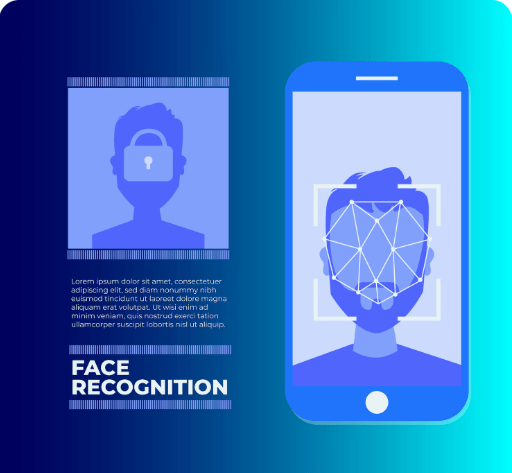
2) Water Damage and Face ID Failure
One of the most common reasons for Face ID failure is water damage, particularly in damp settings or unintentional spills. New iPhones are water-resistant; however, they are not completely waterproof.
How Water Affects Face ID
The True Depth camera components are extremely sensitive. Water exposure can cause:
- Corrosion on Face ID connectors
- Short circuits in infrared sensors
- Fog or moisture buildup inside the camera module
- Permanent damage to the dot projector
In many cases, Face ID may stop working days or weeks after exposure to water, making the cause harder to identify.
Why Immediate Action Matters
Delaying repair after water damage can worsen the problem. Corrosion spreads over time, damaging surrounding components and increasing the cost of repairs. To reduce long-term damage and increase repair success rates, CellCore Repair Shop provides expert water damage treatment and Face ID tests in Dubai.
3) Impact of Screen Replacement on Face ID
A very common reason Face ID stops working is poor-quality or improper screen replacement. Many iPhone users unknowingly disable Face ID after repairing a cracked screen at an unqualified repair shop.
Why Screen Quality Matters
The TrueDepth camera sits behind the display. If a replacement screen:
- Is not original-quality
- Has incorrect thickness or alignment
- Blocks infrared sensors
- Is installed improperly
Face ID may fail immediately or gradually over time.
Common Repair Mistakes
Some repair shops:
- Damage Face ID flex cables during screen removal
- Swap or mishandle original Face ID components
- Use incompatible aftermarket screens
- Fail to recalibrate the TrueDepth system
Once Face ID components are damaged or replaced incorrectly, Apple considers them paired to the original device, making repair more complex.
At mobile repair shop Dubai, only Face ID-safe repair procedures and high-quality displays are used, ensuring that Face ID functionality is preserved during screen replacement whenever possible.
When to Get Expert iPhone Repair in Dubai
While minor software issues can sometimes be resolved at home, many Face ID problems require expert attention. You should seek professional repair if:
- Face ID shows “Not Available” or fails during setup
- Face ID stopped working after a drop or water exposure
- Face ID failed after a screen replacement
- Your iPhone cannot detect the TrueDepth camera
Why Choose a Professional Repair Shop
Face ID repair is one of the most delicate iPhone repairs. It requires:
- Micro-soldering expertise
- Advanced diagnostic equipment
- Knowledge of Apple Face ID pairing
- Experience with iPhone models and generations
CellCore Repair Shop in Dubai specializes in advanced iPhone Face ID diagnosis and repair, handling everything from sensor issues to post-screen replacement failures.
Benefits of Professional Diagnosis at CellCore
- Accurate identification of hardware vs software issues
- Safe repair without data loss
- Transparent repair options and pricing
- Skilled technicians trained in Face ID systems
Final Thoughts
Face ID not working on your iPhone is usually caused by hardware damage, water exposure, or improper screen replacement, though software glitches can also play a role. Ignoring the problem or choosing the wrong repair service can permanently disable Face ID.
If you’re experiencing Face ID issues, early diagnosis is key. CellCore Repair Shop in Dubai provides trusted, professional Face ID repair solutions to restore your iPhone’s security and functionality safely and efficiently.
For expert iPhone Face ID repair and diagnosis in Dubai, trust CellCore Repair Shop—where quality, precision, and reliability come first.