
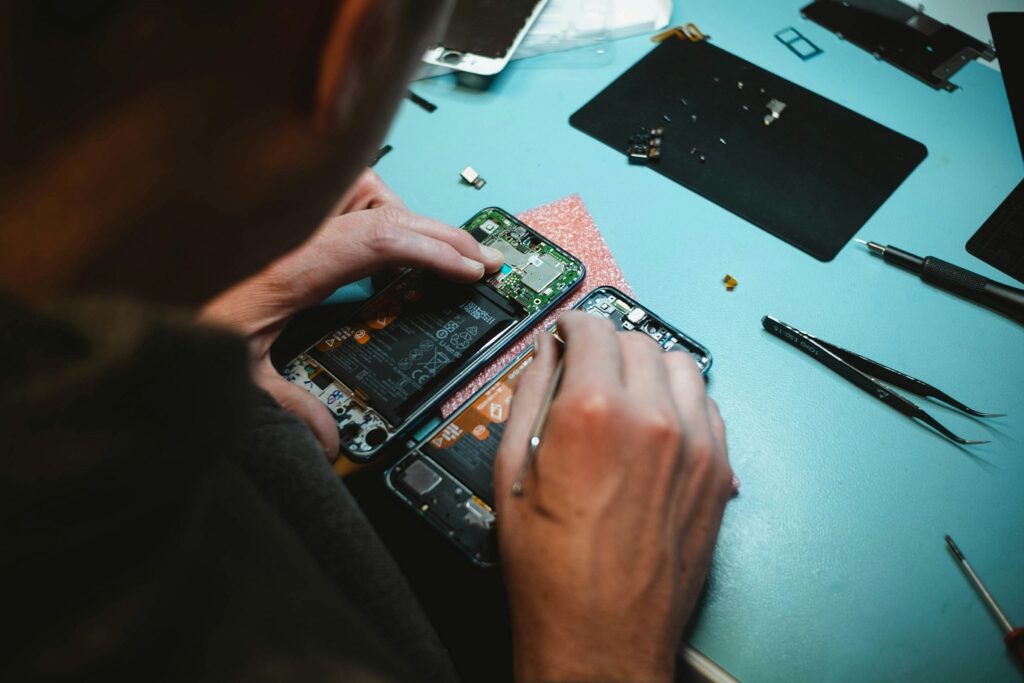
Most iPhones run smoothly for years. Then one morning yours won’t get past the Apple logo, or it restarts three times during a phone call, or an update die at 80It is inopportune and typically occurs at the most inconvenient time.
The good news is that many of these problems can be sorted out at home. For the ones that can’t, CellCore offers iPhone repair in Dubai and can work out what’s actually wrong before you commit to anything. Below are the most common software problems, what you can try yourself, and when it’s time to hand the phone to someone else.
Why iPhones Develop Software Problems
Usually it’s something boring: an update that didn’t finish properly, a nearly full storage drive, an app that hasn’t been updated in a year, or a glitch in iOS itself. Sometimes what looks like a software issue is a tired battery or a hardware fault in disguise, which is why the symptoms matter so much when you’re diagnosing it.
1) iPhone Stuck on the Apple Logo
This one makes people panic, and understandably. It tends to show up after an iOS update, a restore that got interrupted, or a sudden crash during startup.
Start with a force restart. On iPhone 8 and newer, press and release volume up, then volume down, then hold the side button until the logo reappears. Older models use a different button combination, so check Apple’s instructions for yours.
If that doesn’t work, plug the phone into a computer and see whether it shows up. From there you can put it into recovery mode and choose Update rather than restore. Update tries to reinstall iOS without wiping your data. Restore erases everything.
If the update fails or the phone keeps landing back on the logo, stop there and get it looked at. CellCore can assess boot problems like this and tell you which route makes sense.
2) iOS Updates That Won’t Install
Updates fail for simple reasons more often than you’d think: not enough storage, shaky Wi-Fi, low battery, or a temporary server hiccup.
Before trying again, move to a stable Wi-Fi network, plug in your charger, and check that you have enough free space. Try updating using a computer if it still doesn’t work. And once an update is running, leave the phone alone. Interrupting it is how a small problem becomes a big one.
If it keeps failing no matter what you do, the issue may go deeper than a bad download, and that’s a good time to have a technician take a look.
3) Random Restarts and Freezing
A phone that restarts on its own or locks up mid-scroll is hard to live with. The cause could be a misbehaving app, a full storage drive, an iOS bug, or occasionally a hardware fault.
Try these, roughly in this order:
- Restart the phone.
- Install any pending iOS update.
- Free up space, after backing up anything important.
- Update your apps in the App Store.
- Pay attention to whether it only happens in one particular app.
That last one is surprisingly useful. If the freezing always happens in the same app, you’ve mostly found your culprit. If it happens everywhere, something deeper is likely going on and a proper diagnosis will save you guesswork.
4) Apps That Keep Crashing
When one app crashes, it’s almost always the app. Close it, reopen it, check for an update, and restart the phone if needed. Reinstalling can help too, but be careful: deleting an app can delete data stored only on your phone, so check that it syncs to the cloud first.
If several apps are crashing, the problem probably isn’t the apps. It points toward iOS itself, and that’s where a technician can dig in properly.

5) A Slow iPhone
Phones slow down for ordinary reasons: full storage, background activity, software bugs, or a battery that’s aging. Clear out old downloads, update your apps, and restart the phone now and then.
Skip the “cleaner” apps that promise to make your iPhone fly. Most do nothing useful, and some are worse than nothing.
If it’s still sluggish after all that, the cause may be the battery or something else that a quick diagnostic can pin down.
When does an iPhone Actually Need iOS Reinstalled?
Not as often as people assume. A restart or an update fix plenty of problems. Reinstalling iOS makes sense when you’re dealing with serious, stubborn issues, like a phone that won’t start up properly or one that has been unstable since a failed update.
Before going down that road, remember a few things:
- Back up first, if the phone lets you.
- Know the difference between updating through recovery mode and restoring. One tries to keep your data, the other wipes it.
- A restore erases personal data, so don’t treat it as a casual step.
- Stick to trusted methods, either Apple’s own instructions or someone qualified.
If your data isn’t backed up, it’s worth having a technician look at the phone before anyone suggests a full restore.
Why Get Professional Help in Dubai?
The basic fixes work for a lot of people. But repeated update failures, recovery mode errors, boot loops, and constant crashes are harder to untangle without the right tools and experience.
If you do take your phone to a shop, look for one that explains things clearly, diagnoses before it recommends anything, and treats your data with care. CellCore Repair Shop works with customers across Dubai who need iPhone repair, assessing the problem and recommending a sensible fix.
Before you hand over your phone to anyone, ask how they diagnose problems, what the risk of data loss is, what your options are, and whether any warranty applies to the work.
Keeping Software Problems Away
You can’t prevent every glitch, but a few habits help:
- Keep iOS and your apps up to date.
- Leave some free storage on the phone.
- Back up regularly.
- Use decent chargers and cables.
- Don’t interrupt updates or restores.
- Stick to the App Store for downloads.
- Think twice before resetting or erasing the phone.
FAQs
1. What causes iPhone software problems?
Failed updates, low storage, incompatible apps, corrupted installs, and system errors are the usual suspects. Hardware faults can look similar, which makes diagnosis important.
2. Can I reinstall iOS without losing my data?
Sometimes. Updating through recovery mode tries to keep your data, but there’s no guarantee. A full restore wipes the phone, so back up first whenever you can.
3. How do I fix an iPhone stuck on the Apple logo?
Try a force restart for your model. If that fails, update through recovery mode using a computer. If it still won’t budge, get it diagnosed before attempting a full restore.
4. Where can I get iPhone repair in Dubai?
You can contact CellCore Repair Shop to describe your phone’s symptoms and talk through your options.
5. Is professional troubleshooting better than a factory reset?
A reset is a blunt tool. It won’t fix a hardware fault, and it permanently erases anything you haven’t backed up. A proper diagnosis tells you what’s wrong before you wipe anything.
Final Thoughts
iPhone software problems range from a single misbehaving app to a phone that won’t start. Many are fixable with patience and the right steps, as long as you protect your data along the way.
When the problem sticks around, a professional can tell you whether you need an update, a reinstall, or a different kind of repair. If you’re looking for iPhone repair in Dubai, get in touch with CellCore to talk through what’s happening with your phone and find the right fix.