
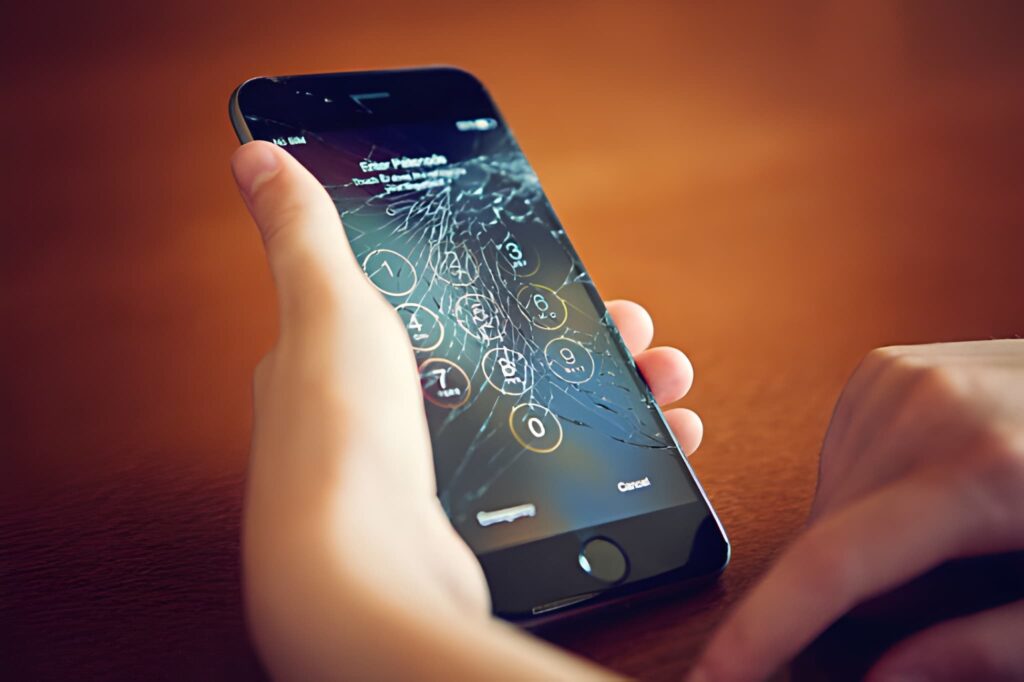
Your iPhone display is one of the most important parts of your device. Whether you’re checking emails, watching videos, making calls, or browsing social media, a clear and responsive screen ensures a smooth user experience. Unfortunately, accidental drops, pressure damage, water exposure, and everyday wear can cause various display problems that affect your iPhone’s performance.
If you’re experiencing screen issues, don’t ignore the warning signs. At CellCore, we provide professional iPhone display repair services in Dubai using premium-quality replacement parts and experienced technicians to restore your device quickly and efficiently.
Why iPhone Display Problems Should Be Fixed Quickly
A damaged display is more than just a cosmetic issue. Even a small crack can worsen over time, allowing dust and moisture to enter your device. Touchscreen problems, display flickering, or black screens can also interfere with daily use and may lead to additional internal damage if left untreated.
Professional repair helps protect your investment while restoring your iPhone to its optimal condition.
Common iPhone Display Problems
1. Cracked or Broken Screen
One of the most common iPhone issues is a cracked display caused by accidental drops or impacts. While your phone may still function, cracks can reduce visibility, weaken the display, and eventually cause touch sensitivity issues.
Signs include:
- Visible cracks or shattered glass
- Sharp glass edges
- Reduced display clarity
- Touch responding inconsistently
Expert screen replace improves your device’s performance and appearance.
2. Unresponsive Touchscreen
If your iPhone screen doesn’t respond properly to taps or swipes, the digitizer may be damaged. Sometimes only certain areas stop responding, while in severe cases the entire touchscreen becomes unusable.
Possible causes include:
- Physical impact
- Water damage
- Internal display connector issues
- Faulty display components
Expert diagnostics help determine whether the display assembly or another internal component requires repair.

3. Screen Flickering
A flickering display can make your iPhone difficult to use and often indicates hardware problems rather than software issues.
Common causes include:
- Loose display connections
- Display panel damage
- Internal hardware faults
- Previous poor-quality repairs
Professional technicians can safely identify the root cause and replace damaged components when necessary.
4. Black Screen with Phone Still Working
Sometimes an iPhone powers on, vibrates, rings, or receives notifications, but the display remains completely black.
This issue may result from:
- Display failure
- Impact damage
- Internal connector problems
- Faulty OLED or LCD panel
Replacing the damaged display often restores normal operation.
5. Dead Pixels or Colored Lines
Vertical or horizontal lines, black spots, or colored pixels usually indicate display panel damage.
Symptoms include:
- Green or purple lines
- Black patches
- Bright spots
- Distorted images
These problems generally require professional display replacement.
6. Ghost Touch
Ghost touch occurs when the screen performs actions without being touched. Apps may open automatically or random typing may occur.
Possible reasons include:
- Damaged touchscreen
- Faulty display assembly
- Internal hardware issues
Professional repair eliminates ghost touch by replacing defective display components.
7. Screen Discoloration
If your display appears yellow, blue, pink, or unevenly colored, the screen may have suffered impact damage or internal display deterioration.
An expert inspection ensures the correct solution without affecting your device’s performance.
What Causes iPhone Display Damage?
Several factors contribute to display problems, including:
- Accidental drops
- Heavy impact
- Water or liquid exposure
- Excessive pressure
- Manufacturing wear over time
- Low-quality previous repairs
- Extreme temperatures
Using a protective case and tempered glass screen protector can significantly reduce the risk of future damage.
Why Choose Professional iPhone Display Repair?
Attempting DIY repairs may lead to additional damage, especially since modern iPhones contain delicate components and advanced display technology.
Professional iPhone Display repair offers several advantages:
- Accurate diagnosis
- Safe disassembly
- Premium-quality replacement parts
- Proper display calibration
- Reliable touchscreen performance
- Warranty on repair services
- Faster turnaround time
Choosing experienced technicians ensures your device is repaired the first time correctly.
CellCore iPhone Display Repair Services
At CellCore, we understand how important your iPhone is for work, communication, and everyday life. Our certified technicians repair display issues across a wide range of iPhone models with precision and care.
Our services include:
- Cracked screen replacement
- OLED and LCD display replacement
- Touchscreen repair
- Display flickering repair
- Ghost touch diagnosis
- Display connector repair
- Screen calibration
- Complete display testing before delivery
Every repair undergoes thorough quality checks to ensure excellent performance.
Tips to Protect Your iPhone Display
After repairing your screen, follow these simple tips to keep it in excellent condition:
- Use a high-quality tempered glass protector.
- Install a durable protective case.
- Avoid placing heavy objects on your phone.
- Keep your device away from water and moisture.
- Handle your iPhone carefully during daily use.
- Clean the display with a soft microfiber cloth.
- Avoid exposing your phone to extreme heat.
Proper protection helps extend the life of your display.
Why Customers Trust CellCore
Customers choose CellCore because we focus on quality workmanship, dependable service, and customer satisfaction.
Our advantages include:
- Experienced repair technicians
- Premium-quality replacement parts
- Fast repair turnaround
- Advanced diagnostic equipment
- Affordable repair solutions
- Transparent repair process
- Friendly customer support
- Reliable warranty on repairs
Whether your screen has minor cracks or severe display failure, our team is ready to help.
Frequently Asked Questions
Q1. How do I know if my iPhone screen needs replacement?
If you notice cracks, flickering, black spots, touch issues, ghost touch, or display lines, your screen should be inspected by a professional technician.
Q2. Can a cracked iPhone screen become worse?
Yes. Small cracks often spread over time and may eventually damage the touchscreen or internal components.
Q3. How long does iPhone display repair take?
Many display repairs can be completed on the same day, depending on the device model and the extent of the damage.
Q4. Will Face ID continue working after display repair?
When performed by experienced technicians using proper repair procedures, Face ID functionality is preserved whenever the original Face ID components remain undamaged.
Q5. Do you repair all iPhone models?
Yes. CellCore repairs display issues for a wide range of iPhone models, including older and newer generations.
A damaged iPhone display can affect everything from productivity to entertainment. Ignoring screen problems often leads to more serious issues and higher repair costs in the future. Whether you’re dealing with cracked glass, touchscreen failure, flickering, ghost touch, or a completely black screen, professional repair is the safest and most reliable solution.
At CellCore, we are committed to delivering fast, dependable, and high-quality iPhone display repair services in Dubai. Our experienced technicians use premium replacement parts and proven repair techniques to restore your device to excellent working condition.
Contact CellCore today to schedule your iPhone display repair and let our experts bring your screen back to life with professional service you can trust.